
What Is Google Pay? Understanding the Digital Payment Platform
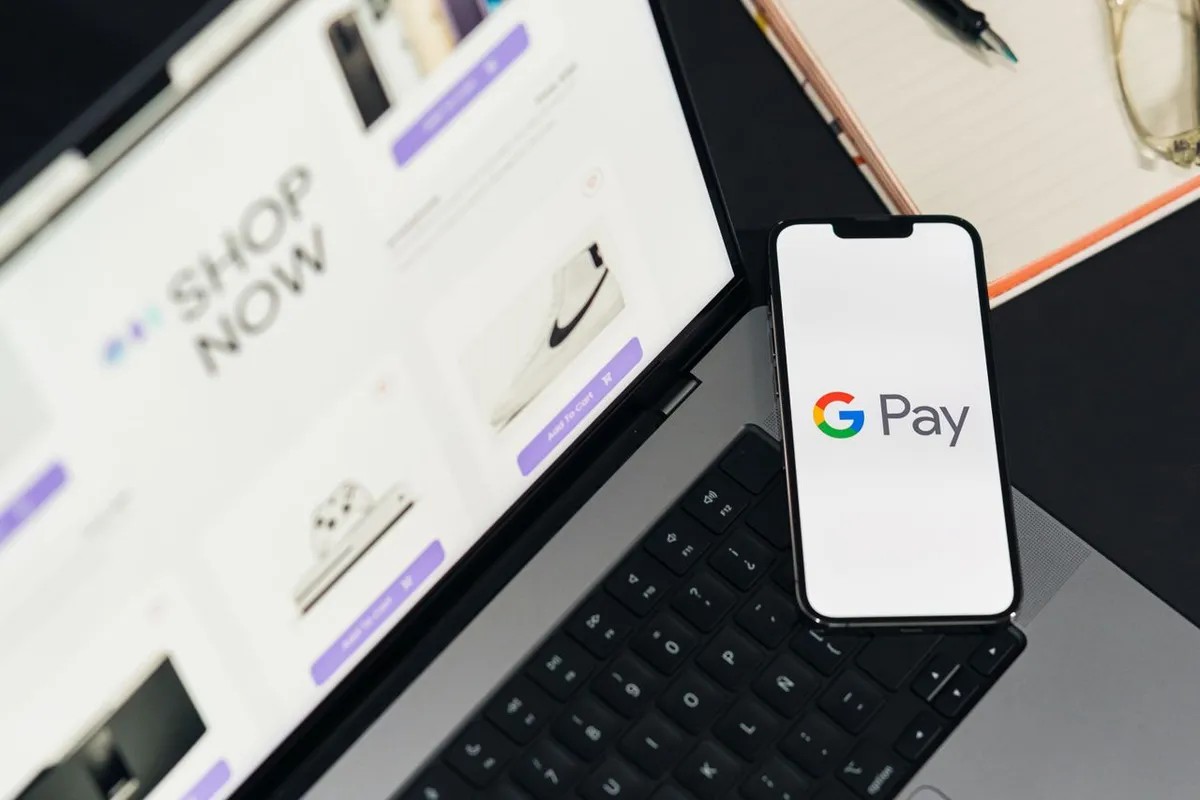
What Is Google Pay?
Google Pay is a digital payment platform that lets people use supported payment methods to pay online, in apps, and, in supported markets, at physical stores. It connects Google’s technology ecosystem with the existing infrastructure of banks, card networks, payment processors, and merchants.
That makes Google Pay different from a bank or a card issuer. Google does not issue the underlying credit or debit card in a typical Google Pay transaction. Instead, it provides technology that makes an existing payment method easier to use across supported devices and checkout environments.
Google Pay has also evolved over time. The service grew out of Google’s earlier payment products, including Android Pay and Google Wallet, which Google brought together under the Google Pay brand in 2018. Today, Google Wallet is primarily the place where users store payment cards and other digital items, while Google Pay refers to the payment experience used for online, in-app, and supported contactless transactions. (blog.google)
Understanding that distinction makes it easier to see where Google Pay fits into the modern payments system.
Google Pay Sits on Top of Existing Payment Infrastructure
A Google Pay transaction can look simple from the user’s perspective: select a card, authenticate the payment, and complete the purchase.
Behind that experience, several different participants may be involved.
A typical card payment can include:
- The customer
- Google Pay and Google Wallet
- The merchant
- A payment processor or acquiring institution
- A card network such as Visa or Mastercard
- The card-issuing bank
These participants do different jobs.
For example, if someone uses a Visa debit card through Google Pay, Google does not become the customer’s bank. The underlying card remains connected to its issuing bank and payment network.
Google provides the digital interface and technology that allows the customer to use that payment method through a supported device or checkout experience.
This distinction is important because digital wallets can change how a payment is initiated without replacing the financial institutions and payment networks that authorize and process it.
Google Pay and Google Wallet Are Different
The relationship between Google Pay and Google Wallet can be confusing because Google’s payment products have changed over time.
Google Wallet is designed to store digital items such as payment cards, tickets, passes, keys, and IDs where supported. Google describes Wallet as a secure digital wallet that gives users access to the items they choose to store. (Google Help)
Google Pay, meanwhile, is the payment experience used when people pay online, in apps, or tap to pay where supported.
A simple way to think about the distinction is:
Google Wallet is the place where supported payment cards and other digital items are stored. Google Pay is the payment experience used to make supported purchases.
The two products are closely connected. Payment methods previously added through Google Pay can appear in Google Wallet, and Google says that users can use cards stored in Wallet for contactless payments where the relevant requirements are met.
The exact features still depend on the user’s country, device, bank, card, and payment method.
How Google Pay Evolved
Google’s current payment system developed from several earlier products.
Before Google Pay, consumers encountered Google Wallet and Android Pay in different contexts. In January 2018, Google announced that it was bringing its different payment experiences together under the Google Pay brand, including Android Pay and Google Wallet. The company said the goal was to make payments more consistent across online, in-store, and Google product experiences. (blog.google)
That history helps explain why the Google payment ecosystem can seem more complicated than simply “an Android wallet.”
Google Pay became part of a broader strategy connecting payment credentials with websites, apps, browsers, devices, and other Google services.
Over time, Google Wallet took on a more visible role as the consumer-facing place for storing cards and other digital items, while Google Pay continued as the payment experience.
Adding a Card Creates a Digital Payment Credential
Using Google Pay starts with a supported payment method.
A customer can add an eligible card through Google Wallet, and in some cases through an issuer’s banking app. Google says issuers can support card provisioning through their own mobile applications as well. (Google for Developers)
The important point is that the physical card is not simply copied into the phone.
Google’s payment infrastructure can create a device-specific token for supported cards. Google refers to this as a device token or device primary account number (DPAN). During a supported payment, the device token can be provided instead of the underlying card number. (Google for Developers)
The bank and payment network remain part of the process.
That means whether a particular card can be added depends on more than the phone itself. The issuing bank, card type, payment network, country, and device can all affect eligibility.
What Happens When You Pay with Google Pay?
Imagine a customer buying a $100 item at a store that accepts contactless payments.
The customer may experience only a few steps:
- Select a supported payment card.
- Unlock or authenticate the device as required.
- Hold the device near the payment terminal.
- The payment credentials are transmitted through the payment system.
- The relevant payment infrastructure sends the transaction for authorization.
- The card issuer decides whether the transaction should be approved.
- The merchant receives the authorization result.
The exact technical process can vary depending on the payment method and transaction type, but the economic structure remains similar to other card payments.
Google provides the technology and payment interface. The merchant accepts the transaction. Payment infrastructure routes it. The issuing institution remains responsible for authorization.
So Google Pay does not independently decide whether a customer has enough money or available credit to make the purchase.
Tokenization Is a Key Part of Google Pay
One of the most important technologies behind device-based payments is tokenization.
With device tokenization, Google Pay can use a device-specific payment credential instead of passing the underlying card number to a contactless terminal.
Google’s developer documentation says that a device token, or DPAN, is used in place of the actual card number for supported device payments. The token is linked to the particular device and payment setup. (Google for Developers)
This creates another layer between the customer’s original card information and the payment terminal.
Security does not depend on tokenization alone. Google also describes device authentication, Android security controls, device-integrity checks, and transaction cryptography as parts of the broader security architecture.
For online payments, Google Pay can also return encrypted and signed payment data to merchants or their payment providers, depending on the integration.
The result is a payment system in which the credentials used for a digital transaction can be different from the number printed on the physical card.
Google Pay Works Across More Than Physical Stores
Google Pay is not limited to tapping a phone at a checkout terminal.
Google originally positioned the service across online checkout, apps, stores, and Google products.
Today, supported payment experiences can include:
- Contactless payments at physical stores
- Online checkout
- In-app payments
- Payment methods stored in Google’s ecosystem
- Supported browser checkout experiences
For businesses, Google provides APIs that allow websites and apps to integrate Google Pay into their checkout flows. Developers can specify supported card networks and payment-tokenization methods as part of an integration. (Google for Developers)
This gives Google Pay a broader role than simply replacing a physical card with a smartphone.
It can become part of the checkout interface itself.
Why Google Pay Matters to Online Merchants
Digital payments create a practical problem for online businesses: every additional checkout step can add friction.
A traditional card checkout may require customers to manually enter a card number, expiration date, security code, billing information, and other details.
A supported digital payment option can reduce some of that manual work.
For merchants, the value of Google Pay therefore goes beyond convenience. It can provide another way to present payment options within websites and apps while connecting the checkout to payment credentials the customer has already stored.
Google’s developer tools are designed specifically to let merchants and payment providers integrate Google Pay into their existing payment systems rather than requiring them to build a completely separate financial network. (Google for Developers)
That makes Google Pay part of the infrastructure of digital commerce, not simply a consumer-facing app.
Google Pay Still Depends on Banks and Card Networks
Google Pay does not replace Visa, Mastercard, issuing banks, or merchant payment processors.
A simplified card-payment relationship can be viewed as:
Customer → Google Pay → Merchant/Payment Processor → Card Network → Issuing Bank
The actual transaction architecture can be more complicated, but the roles remain distinct.
Google provides the technology layer through which the customer initiates the payment.
The merchant provides the product or service.
The acquiring and processing side handles the merchant’s payment infrastructure.
The card network provides payment-network infrastructure.
The issuing bank provides the card and makes the authorization decision.
This is why a digital wallet should not be confused with a payment network.
The wallet can change the customer’s payment experience without replacing the underlying system that moves and authorizes the transaction.
Google Pay Security Uses Multiple Layers
A secure digital payment depends on more than one technology.
Google’s documentation describes several security mechanisms within Google Pay’s device-tokenization system, including tokenization, device authentication, Android security controls, and device-integrity validation. (Google for Developers)
Depending on the transaction, the security process can involve:
- Device authentication
- Tokenized payment credentials
- Transaction cryptography
- Android security controls
- Issuer authorization
- Card-network fraud controls
- Merchant security systems
That layered structure matters because no payment method is completely independent of the wider financial system.
A phone can provide strong device-level protection, but the transaction still passes through banks, networks, merchants, and payment processors that have their own security and fraud controls.
Google Pay therefore adds security mechanisms to the payment experience rather than eliminating the underlying risks of digital payments.
Google Pay Does Not Work the Same Way Everywhere
One of the biggest differences between digital payment services and traditional physical cards is that features can vary significantly between countries.
Google states that some Google Pay and Google Wallet features are available only in particular countries, regions, and devices. (Google Help)
Availability can depend on:
- The country where the user lives
- The issuing bank
- The card type
- The payment network
- Device compatibility
- Contactless infrastructure
- Local payment rules
- Merchant acceptance
Digital payments are closely tied to local banking partnerships and payment infrastructure.
Google Pay vs. Google Wallet
The simplest comparison is:
| Feature | Google Pay | Google Wallet |
| Main role | Payment experience | Digital wallet |
| Online payments | Supported where available | Stores payment methods used for payments |
| In-app payments | Supported where available | Stores relevant payment methods |
| Contactless payments | Payment experience | Stores the payment method used for tap-to-pay |
| Payment cards | Used to make payments | Stores supported cards |
| Tickets and passes | Not its primary role | Yes |
| Keys and IDs | Not its primary role | Supported in selected markets |
Google’s own support documentation makes this distinction directly: Wallet stores payment cards and other digital items, while Google Pay is how users pay online, in apps, and through supported contactless transactions. (Google Help)
For users, the important thing is not which name appears on the screen. It is understanding that Google has separated the wallet function from the broader payment experience.
Google Pay vs. Apple Pay
Google Pay and Apple Pay have similar broad purposes, but they are built around different technology ecosystems.
Apple Pay is closely integrated with Apple’s hardware, operating systems, and Wallet environment.
Google Pay operates within Google’s broader ecosystem, particularly Android and Google’s online payment infrastructure.
The practical experience can therefore differ depending on:
- Device
- Operating system
- Country
- Bank
- Card network
- Merchant
- Available payment features
Both services illustrate the same broader change in finance: technology companies can control important parts of the payment experience without becoming traditional banks.
The underlying financial institutions can remain responsible for accounts, cards, authorization, and payment-network relationships while the technology company controls much of the customer’s digital interface.
The Economic Role of Google Pay
Google Pay is part of a larger shift in how consumers interact with money.
In the past, payment systems were often visible through physical objects: cash, checks, plastic cards, and bank branches.
Digital payments move more of that interaction into software.
The physical card can become less important to the customer’s day-to-day experience even though the underlying account and payment network continue operating.
That creates a new layer of competition.
Banks compete over accounts and cards. Card networks operate payment infrastructure. Payment processors connect merchants to the financial system. Technology companies compete over the interface through which customers actually make payments.
Google Pay gives Google a role in that interface.
This does not mean Google has replaced the financial institutions behind the transaction. Instead, it shows how financial services can become embedded inside technology platforms that consumers already use.
That shift is important for the broader digital economy because payments are no longer just a financial back-office function. They are increasingly part of the software experience of shopping, browsing, using apps, and interacting with connected devices.
The Limits of Google Pay
Google Pay can simplify payments, but it does not remove all of the limitations of the existing payment system.
The main constraints include:
Country availability: Features differ between markets.
Bank and card support: A particular card may not be eligible even if Google Wallet is available in the user’s country.
Device requirements: Contactless payments require compatible hardware and software. Google notes that NFC is required for contactless payments with Google Wallet.
Merchant acceptance: The merchant must support the relevant payment method or checkout integration.
Feature differences: Some capabilities are limited to specific countries, devices, or payment products.
These limitations are not necessarily unique to Google. Digital payment systems depend on cooperation between technology platforms, banks, payment networks, merchants, and local financial infrastructure.
Why Google Pay Matters Beyond the Payment Button
The significance of Google Pay goes beyond allowing someone to tap a phone instead of a physical card.
Its larger importance is the way payment functionality can become embedded inside a technology ecosystem.
Google operates Android, Chrome, Google services, and a large developer ecosystem. Payment functionality can therefore appear at several points in the customer’s digital journey.
A customer may discover a product through a browser, open an app, reach a checkout page, and complete the payment without leaving the digital environment.
That creates value for Google, merchants, banks, and consumers in different ways.
For consumers, it can reduce friction.
For merchants, it can create another streamlined checkout option.
For banks, it can extend the use of their cards into mobile and digital environments.
For Google, it creates a role at an important point where consumers interact with the financial system.
The broader economic change is therefore not that Google has built a new banking system. It is that technology platforms are becoming increasingly important interfaces to existing financial systems.
The Bottom Line: Google Pay Is a Digital Payment Layer
Google Pay is best understood as a digital payment platform rather than a bank, card network, or replacement for traditional financial infrastructure.
Google Wallet provides the digital wallet experience for storing supported payment cards and other items, while Google Pay is the payment experience used for online, in-app, and supported contactless payments. (Google Help)
Behind that experience, banks still issue cards, payment networks still provide their infrastructure, merchants still accept payments, and financial institutions still authorize transactions.
Google’s role is to connect the user’s device and digital environment with that existing payment system.
That is what makes Google Pay economically interesting.
It does not need to replace banks or card networks to change how people interact with them.
Instead, it adds a software layer between the customer and the financial infrastructure underneath the transaction.
As payments continue moving from physical cards toward smartphones, apps, browsers, and connected devices, that digital layer is becoming an increasingly important part of modern commerce.
Click here to see Visa vs Mastercard: What Is the Difference and How Do They Compare?